Open Plugins: The Plugin Standard for AI Coding Tools

One plugin standard, shared across seven tools.
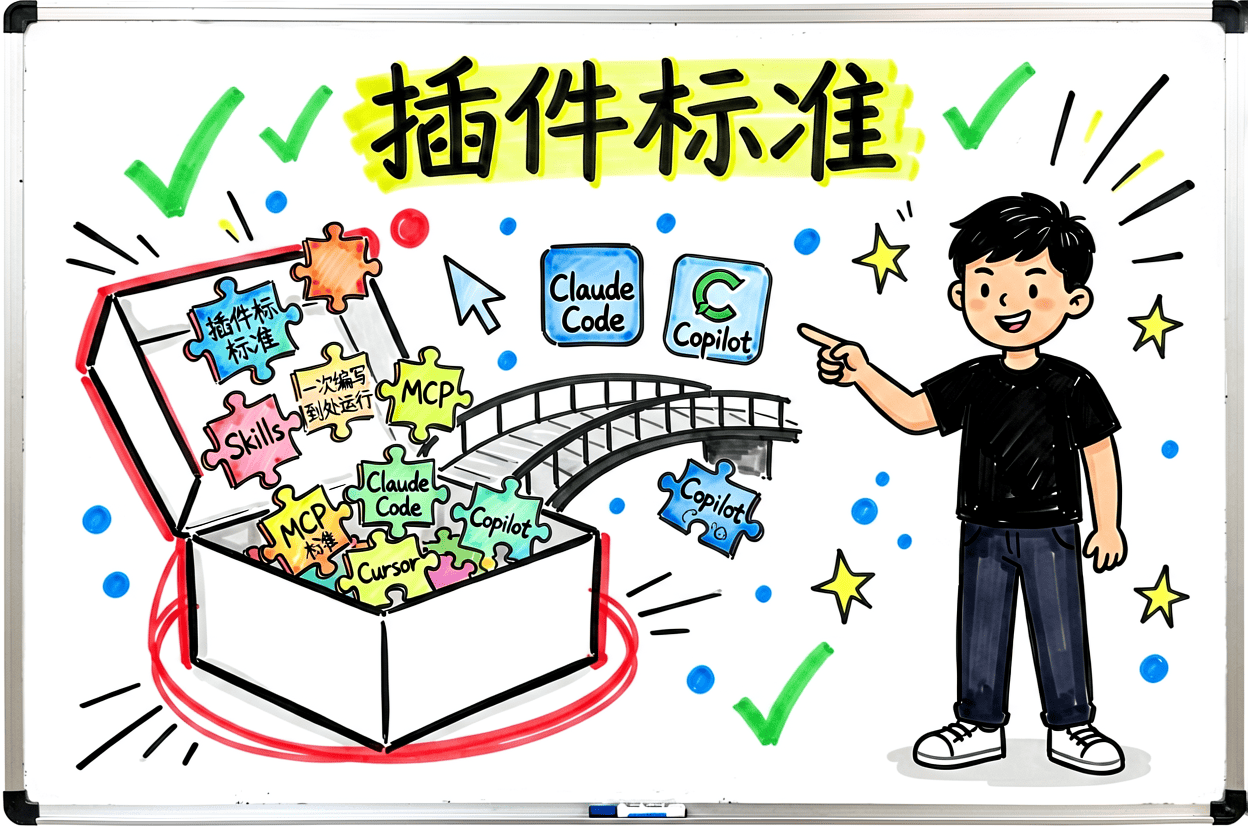 Fig: Open Plugins — install once, works across seven tools
AI coding tools are multiplying: Cursor, Claude Code, Codex, Grok Build — each with its own plugin format. Then came Open Plugins.
It's an open standard maintained by Vercel Labs. Install one plugin, it runs across seven tools.
The Problem: AI Coding Tools in a "Plugin Warring States" Era
Let's start with the problem.
 Fig: Every tool speaks its own language — they don't integrate
Imagine you have a great set of AI coding assistants:
- A code review skill that automatically reviews changes before each commit
- An MCP server connecting to your company's API documentation
- A hook script that auto-formats files on save
You configure it once in Claude Code. Then you switch to Cursor and have to reconfigure everything. Switch to Codex and the format is different. It's like JavaScript before npm — every library had its own module format, and reusing anything meant manual work.
Open Plugins aims to end this fragmentation: define one standard, share across all tools.
npx plugins: How to Install
One command:
# Install a plugin from GitHub (short format)
npx plugins add vercel/vercel-plugin

# Full HTTPS URL
npx plugins add https://github.com/vercel/vercel-plugin

# Install from local directory
npx plugins add ./my-plugin

# Preview components without installing
npx plugins discover owner/repo

# List locally detected tools
npx plugins targets
The plugins package (v1.3.4) is the Open Plugins ecosystem's "installer". Everything goes into .agents/plugins/ after installation.
Its workflow can be thought of as an assembly line:
Three installation scopes:
npx plugins add repo --scope user     # User-level (~/.agents/plugins/)
npx plugins add repo --scope project  # Project-level (./.agents/plugins/)
npx plugins add repo --scope local    # Local dev testing only
You can also target a specific tool:
npx plugins add owner/repo -t grok     # Install to Grok Build only
npx plugins add owner/repo -t vscode   # Install to VS Code only
Seven Supported AI Coding Tools
npx plugins targets detects which tools you have installed and installs to all of them automatically.
Here are the supported tools and their component type compatibility:
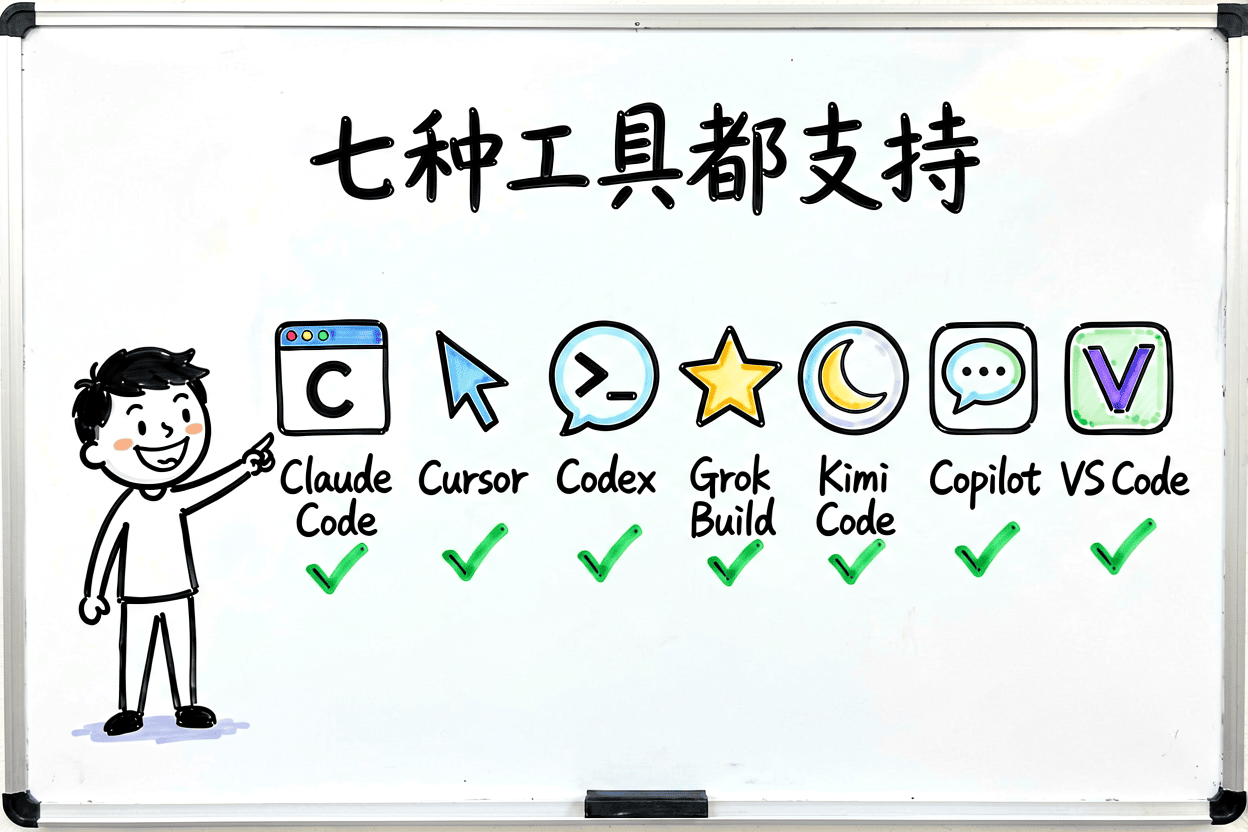 Fig: Seven AI coding tools, one plugin standard
Full compatibility matrix:
| Tool | Skills | Agents | Rules | Hooks | MCP | LSP |
|---|---|---|---|---|---|---|
| Claude Code | ✅ | ✅ | ✅ | ✅ | ✅ | ❌ |
| Cursor | ✅ | ❌ | ✅ | ✅ | ✅ | ✅ |
| Codex | ✅ | ✅ | ✅ | ✅ | ✅ | ❌ |
| Grok Build | ✅ | ❌ | ✅ | ✅ | ✅ | ✅ |
| Kimi Code | ✅ | ❌ | ❌ | ✅ | ✅ | ❌ |
| GitHub Copilot CLI | ✅ | ✅ | ✅ | ✅ | ✅ | ❌ |
| VS Code | ✅ | ❌ | ✅ | ❌ | ✅ | ❌ |
Key differences:
- Cursor doesn't support Agents but supports LSP — ideal for deep in-editor usage
- Claude Code and Codex support Agents but not LSP — they follow the agent-oriented path
- Grok Build is provided through xAI's CLI, compatible with Claude Code's Skills and Agents formats
- GitHub Copilot CLI is the most versatile, supporting all component types
- VS Code currently has Agent Plugins in Preview — requires
chat.plugins.enabled
Protocol Breakdown
A plugin is essentially a directory with files organized by convention.
Standard Directory Structure
Storage paths after installation:
~/.agents/plugins/          # User-level
<project>/.agents/plugins/  # Project-level
plugin.json Manifest
The manifest is optional. If omitted, the plugin name is derived from the directory name and components are discovered in default locations only.
If provided, name is the only required field:
{
  "name": "my-plugin",
  "version": "1.2.0",
  "description": "Plugin description",
  "author": {
    "name": "Author",
    "email": "author@example.com"
  },
  "homepage": "https://example.com",
  "repository": "https://github.com/author/plugin",
  "license": "MIT",
  "keywords": ["code-review", "automation"]
}
name constraints: 1-64 characters, lowercase alphanumeric/hyphens/dots, must start and end with alphanumeric, no -- or ... ✅ deployment-tools, code-reviewer, prompts.chat ❌ My-Plugin, -tools, my--plugin
Component Discovery Algorithm
This is the core of the protocol. The full process a tool uses to scan a plugin:
The plugin's four-stage lifecycle — from installation to activation:
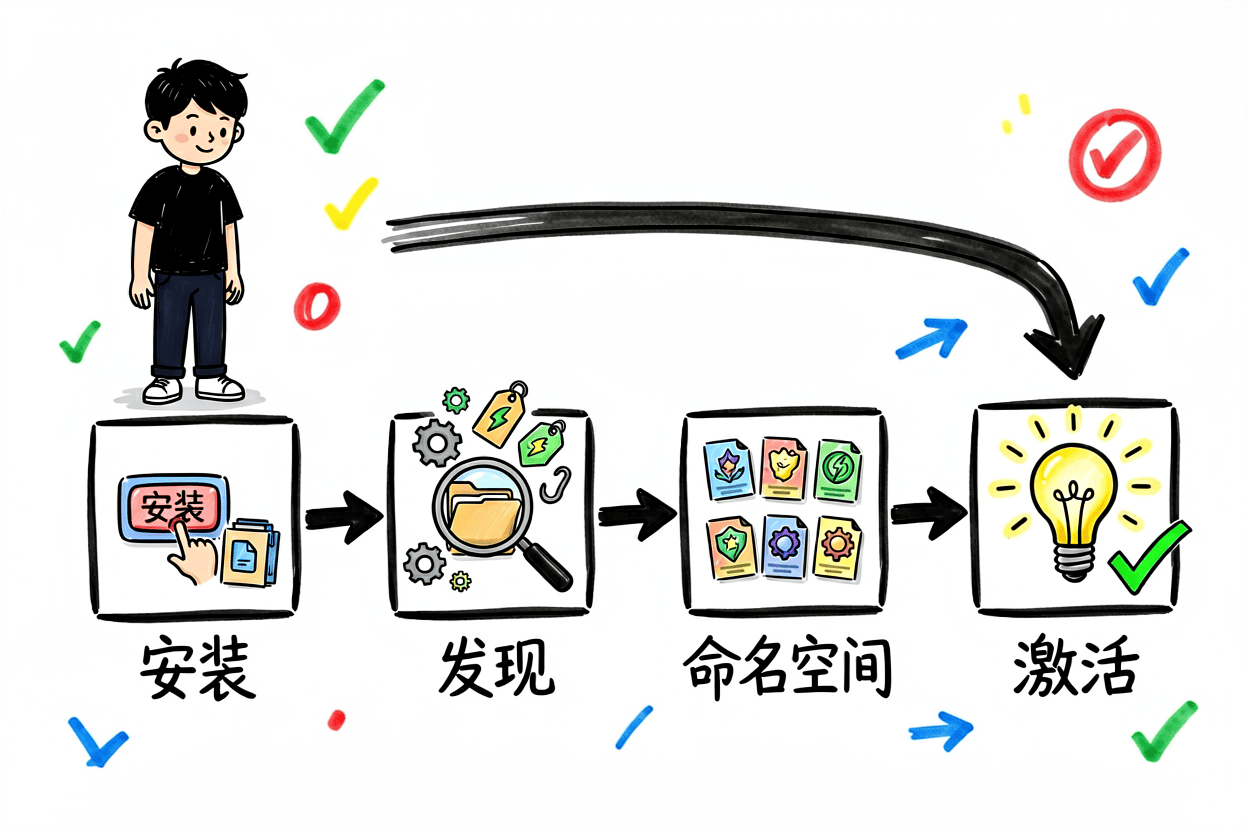 Fig: Plugin installation, discovery, namespacing, and activation flow
${PLUGIN_ROOT} Path Expansion
Any configuration file within a plugin can use ${PLUGIN_ROOT}, which the tool automatically replaces with the plugin root directory's absolute path. This makes plugins self-contained — all path references are relative to itself, working from any installation location.
{
  "mcpServers": {
    "db-server": {
      "command": "${PLUGIN_ROOT}/servers/db-server",
      "args": ["--config", "${PLUGIN_ROOT}/config.json"],
      "env": {
        "DB_PATH": "${PLUGIN_ROOT}/data"
      }
    }
  }
}
Expansion rules: recursive expansion (nested references are replaced); escape checking ensures paths don't leave the plugin directory.
In Practice: Migrating CloudBase MCP to Open Plugins
Enough theory — let's get real.
We've been maintaining an open-source project called CloudBase MCP that provides cloud access for AI coding tools — AI model invocation, NoSQL/PostgreSQL databases, cloud functions, CloudRun, cloud storage, WeChat Mini Program integration, and more. Previously we manually configured .claude-plugin/, .codex-plugin/, .mcp.json — one config per tool, a maintenance headache. Open Plugins came at the perfect time for a migration.
Full migration PR: TencentCloudBase/CloudBase-MCP#808 (+818 / -34)
Fig: PR #808 before/after — from vendor-specific formats to a universal plugin standard
Before vs After
plugin.json
Following the Open Plugins spec v1.0.0 closed schema, only retaining permitted metadata fields:
{
  "$schema": "https://open-plugins.com/schemas/1.0.0/plugin.schema.json",
  "name": "cloudbase",
  "version": "0.2.0",
  "description": "Tencent CloudBase — AI models, authentication, NoSQL/PostgreSQL databases, cloud functions, cloud storage, CloudRun backend services, and WeChat Mini Program integration.",
  "author": {
    "name": "Tencent CloudBase",
    "url": "https://cloudbase.net"
  },
  "homepage": "https://github.com/TencentCloudBase/cloudbase-mcp",
  "license": "MIT",
  "keywords": [
    "cloudbase", "tencent-cloud", "baas",
    "ai-model", "database", "cloud-function",
    "authentication", "storage", "cloudrun"
  ]
}
mcp.json
MCP server config moved from .mcp.json to the spec path mcp.json:
{
  "mcpServers": {
    "cloudbase-mcp": {
      "command": "npx",
      "args": ["-y", "@cloudbase/cloudbase-mcp@latest"],
      "env": {}
    }
  }
}
Automated Build
Wrote a build-open-plugin-spec.mjs build script that auto-generates artifacts from .claude-plugin/plugin.json. Added a --check mode for CI — every PR auto-validates to prevent source updates without regenerating artifacts.
# Generate artifacts
node scripts/build-open-plugin-spec.mjs

# CI mode: check only, no writes
node scripts/build-open-plugin-spec.mjs --check
GitHub Actions workflow (.github/workflows/open-plugin-spec-check.yml) runs checks on every PR automatically.
Validation Results
The biggest win: installing to every tool with one command:
npx plugins add TencentCloudBase/cloudbase-plugin
And because we already had 4 Skills under skills/, npx plugins discover automatically registered them as namespaced commands:
| Component | User Invocation |
|---|---|
skills/ai-model/ | /cloudbase:ai-model |
skills/cloudbase-data/ | /cloudbase:cloudbase-data |
skills/cloud-functions/ | /cloudbase:cloud-functions |
skills/mini-program/ | /cloudbase:mini-program |
No extra config needed — just place directories by convention.
First Pitfall: marketplace.json Conflict
After PR #808 was merged, I excitedly ran npx plugins add TencentCloudBase/CloudBase-MCP and got:
No plugins found. 2 remote plugin(s) not shown.
The plugin was in the repo, but the CLI couldn't find it.
After digging: the main repo root has a marketplace.json — an index file for Claude Code and Codex marketplace add. The npx plugins CLI detected it and identified the entire repo as a marketplace (multi-plugin collection), refusing to install subdirectory plugins.
Solution: Create dedicated plugin repos
Following Vercel (vercel/vercel-plugin) and Supabase (supabase-community/supabase-plugin) — create dedicated plugin repos whose root contains only .plugin/plugin.json, no marketplace.json, so the CLI identifies them as single plugins.
Created two repos:
| Repository | Install Command | Contents |
|---|---|---|
TencentCloudBase/cloudbase-plugin | npx plugins add TencentCloudBase/cloudbase-plugin | 28 skills + MCP + 5 commands + 2 agents + hooks |
TencentCloudBase/cloudbase-sites-plugin | npx plugins add TencentCloudBase/cloudbase-sites-plugin | 1 skill + MCP + hooks |
Content auto-synced from the main repo's plugin/cloudbase/ and plugin/cloudbase-sites/, excluding marketplace.json during sync — that's the key.
Automated sync mechanism
New files added:
| File | Purpose |
|---|---|
scripts/push-plugin-repos.mjs | Build plugin repo artifacts to .plugin-repo-output/ |
.github/workflows/push-plugin-repos.yaml | CI auto-sync workflow |
scripts/build-open-plugin-spec.mjs (extended) | Handle both cloudbase + cloudbase-sites |
plugin/cloudbase-sites/.plugin/plugin.json | cloudbase-sites Open Plugin Spec manifest |
plugin/cloudbase-sites/mcp.json | cloudbase-sites MCP config |
All validations passed:
npx plugins discover TencentCloudBase/cloudbase-plugin --remote
# → ✅ Found 1 local plugin(s), 28 skills, 5 cmds, 2 agents, hooks

npx plugins add TencentCloudBase/cloudbase-plugin --target cursor --scope local
# → ✅ Installed

npx plugins discover TencentCloudBase/cloudbase-sites-plugin --remote
# → ✅ Found 1 local plugin(s), 1 skill, hooks
Install commands now point to the dedicated repos:
# Main plugin
npx plugins add TencentCloudBase/cloudbase-plugin

# Sites plugin
npx plugins add TencentCloudBase/cloudbase-sites-plugin
The core lesson: Open Plugins treats a repo with marketplace.json at its root as a plugin collection, not a single plugin. If your repo has multiple artifacts (like CloudBase-MCP with both an MCP server and plugins), you need dedicated plugin repos. Vercel and Supabase do the same.
The Hook System
When I read the spec, the Hook system was the most striking part — it can hook into every lifecycle point of an agent workflow. But heads up: Hooks aren't in Spec v1, support is entirely up to the host tool. Claude Code and Copilot CLI have the fullest support, VS Code and Kimi Code don't recognize them (silently ignored, no error).
Fig: The Hook system — complete event chain from SessionStart to SessionEnd
Event Overview
| Event | When It Fires | Matcher Scope |
|---|---|---|
PreToolUse | Before agent calls a tool | Tool name |
PostToolUse | After successful tool call | Tool name |
PostToolUseFailure | On tool call error | Tool name |
BeforeReadFile | Before reading a file | File path |
AfterFileEdit | After writing a file | File path |
BeforeShellExecution | Before executing a shell command | Command string |
AfterShellExecution | After shell command completes | Command string |
SessionStart | When session begins | — |
SessionEnd | When session ends | — |
UserPromptSubmit | When user submits a prompt | — |
Stop | When agent attempts to stop | — |
SubagentStart | When subagent starts | — |
SubagentStop | When subagent ends | — |
Three Action Types
command — Execute an external script, event context passed via stdin JSON:
{ "type": "command", "command": "${PLUGIN_ROOT}/scripts/lint.sh" }
prompt — Send a prompt to the LLM, $ARGUMENTS replaced with event context:
{ "type": "prompt", "prompt": "Review the change: $ARGUMENTS" }
agent — Similar to prompt but with tool access, enabling multi-step verification:
{ "type": "agent", "prompt": "Verify style guide compliance: $ARGUMENTS" }
Execution Model
- Multiple rules can match the same event — all execute
- Hooks within the same rule run sequentially in array order
- Implementations should set timeouts
- Failures must not crash the host tool
Adding Open Plugins Support to Your Tool
If you're building an AI coding tool and want plugin ecosystem compatibility, five things to implement:
Five Core Capabilities
Integration by Tool
Each tool has a different existing plugin mechanism. npx plugins does a translation layer during installation — converting the universal .plugin/ format into each tool's native format:
| Tool | Install Target | Integration Mechanism |
|---|---|---|
| Claude Code | .claude/plugins/ | Skills and config directly compatible |
| Cursor | .cursor/plugins/ | Registered via Rules + MCP mechanism |
| Codex | Marketplace entry vercel@openai-curated | Built-in Vercel integration |
| Grok Build | grok plugin install | Native plugin commands + Claude Code compatibility layer |
| Kimi Code | Kimi plugin store | Visible after /plugins TUI reload |
| GitHub Copilot CLI | copilot plugin marketplace add | plugin add plugin@marketplace after registering source |
| VS Code | chat.pluginLocations setting | Requires enabling chat.plugins.enabled (Preview) |
Security Protection Model
Closing Thoughts
Open Plugins reminds me of when npm was just gaining traction ten years ago. JavaScript package management was a mess: AMD, CommonJS, UMD, IIFE… every project had its own system. Then npm + ES Modules unified the standard, and the entire ecosystem took off. The AI coding tool plugin ecosystem is in that "pre-npm" era right now.
Migrating CloudBase MCP was a fascinating process. From npx plugins discover identifying the plugin, to installing it across every tool with one command — that feeling of "write once, use everywhere" is exactly what this standard aims to deliver.
Fig: npx plugins add TencentCloudBase/cloudbase-plugin — one command to install everywhere
If you build extensions for AI coding tools, I recommend checking out the Open Plugins spec. The good news is you don't need anything complex — just add a .plugin/plugin.json to your project and it becomes discoverable by 7 tools. Our migration was about 400 lines of code, finished in under two days.
The CloudBase-MCP plugins are at these repos, for reference:
npx plugins add TencentCloudBase/cloudbase-plugin
npx plugins add TencentCloudBase/cloudbase-sites-plugin
Open Plugins isn't "mature" yet, but the direction is right. Getting the same plugin to work across different tools is a problem worth solving. The rest depends on how the community grows.
References
- Open Plugins Official Site
- plugins npm package — the
npx plugins addinstaller - Agent Skills Specification
- Model Context Protocol
- CloudBase Plugin — Open Plugins standard plugin repo
- CloudBase Sites Plugin — Sites plugin repo
- CloudBase MCP — Tencent Cloud MCP plugin
- PR #808: CloudBase MCP Open Plugin Spec Integration